Buy sun-studio.eu ?
We are moving the project
sun-studio.eu .
Are you interested in purchasing the domain
sun-studio.eu ?
domain@kv-gmbh.de · 0541-91531010
Buy sun-studio.eu ?
How can one replace the front doorbell with a smart doorbell?
To replace a front doorbell with a smart doorbell, you will first need to purchase a smart doorbell that is compatible with your home's existing wiring. Next, turn off the power to the doorbell at the circuit breaker to ensure safety while working with the wiring. Remove the old doorbell and disconnect the wires, then connect the wires to the corresponding terminals on the smart doorbell. Once the wiring is connected, secure the smart doorbell to the wall or door frame according to the manufacturer's instructions. Finally, turn the power back on and follow the setup instructions provided with the smart doorbell to connect it to your home's Wi-Fi network and configure any additional settings. **
Is a Ring video doorbell allowed?
Yes, Ring video doorbells are generally allowed in most residential areas. However, it's important to check with your local homeowners' association or neighborhood regulations to ensure that there are no specific restrictions on the use of video doorbells. Additionally, it's important to be mindful of privacy concerns and to use the video doorbell in a responsible and respectful manner. **

Similar search terms for BLINK-Smart-Video-Doorbell
Top-Angebote
Products related to BLINK-Smart-Video-Doorbell:
-
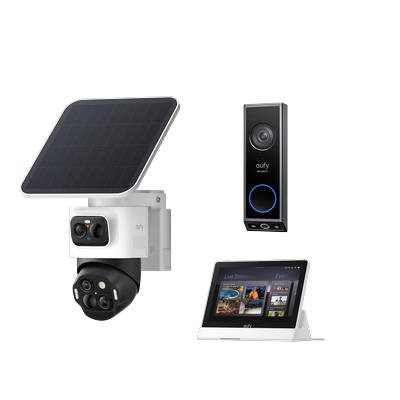
eufyCam S4 +Smart Display E10 + Video Doorbell E340 bundleeufyCam S4: Revolutionary Triple-Lens Bullet-PTZ Camera: A single groundbreaking device that replaces and outperforms separate bullet and PTZ cameras. The upper 4K bullet lens delivers a 130° fixed wide view, while the lower 2K dual-lens PTZ offers...559,97 $*Shipping: 0,00 $Secure redirect to the provider
-
Anker eufy S4 3K Smart Video Doorbell with Chime 2 (Wired)🔥 Black Friday Prices Are Live. 30-Day Price Guarantee Get a 180° View of Your Doorstep in Panoramic Mode: Enjoy a 180° × 180° ultra-wide view that covers everything from ground to sky, wall to wall. Activate VR Mode in the app to explore your full surroundings by moving your phone or headset to see exactly what's happening from any angle. OmniTrack™ AI Tracking and Auto-Framing: Keep what's important in view with smart AI tracking and auto-framing that recognises a person, keeps them centred, and follows them as they move. 9 MP Ultra HD with Color Night Vision: See every detail with stunning 9 MP Ultra HD resolution. Color night vision delivers a sharp, identifiable picture. Clearly recognize faces and read license plates with exceptional clarity. Wired Power and Smart Home Integration: Connect to existing doorbell wiring for a reliable wired setup. Built-in 4GB eMMC local storage keeps recordings saved locally, with no monthly fee required. Hear Every Ring: The included eufy Chime 2 delivers loud, customisable audio notifications when someone rings your bell. Works seamlessly with Google Assistant and Alexa for effortless smart home integration. Panoramic VR mode lets you stand at your doorstep — from anywhere. Learn more 🔗215,99 £*Shipping: 0,00 £Secure redirect to the provider
-
eufy Video Doorbell C30Crystal-Clear Welcome in 2K FHD: Experience 2K FHD clarity for detailed and vivid visuals, ensuring you can see exactly who is at your door, even at night. The 16:9 expanded view provides a wider picture of your entire front door area, offering...59,99 $*Shipping: 0,00 $Secure redirect to the provider
-
eufy FamiLock S3 Max + Video Doorbell E340 + eufy Smart Display E10 Whiteeufy FamiLock S3 Max Palm Vein Unlocking: Achieve recognition in just 0.1 seconds with secure, forgery-proof palm vein technology. Your palm vein data is stored locally on the lock, keeping your privacy entirely in your hands. This all-in-one...663,98 $*Shipping: 0,00 $Secure redirect to the provider

-
Why does the smart TV light blink at night?
The smart TV light may blink at night due to various reasons. One common reason is that the TV is in standby mode and the light is indicating that it is ready to be turned on. Another reason could be that the TV is receiving updates or performing background tasks, causing the light to blink. Additionally, some smart TVs have a feature that allows them to respond to voice commands or remote control signals, which may cause the light to blink when it is activated. **
-
How does a video doorbell system work?
A video doorbell system works by using a camera and microphone to capture and transmit live video and audio of the area in front of the door to a smartphone or other connected device. When someone rings the doorbell, the system sends a notification to the homeowner's device, allowing them to see and communicate with the visitor in real-time. Some video doorbell systems also have motion detection capabilities, allowing them to alert the homeowner to any activity in front of the door, even if the doorbell is not rung. Additionally, many video doorbell systems can also record and store footage for later viewing. **
-
How do I connect a Ring video doorbell to the existing doorbell system?
To connect a Ring video doorbell to your existing doorbell system, you will need to follow these steps: 1. Turn off the power to your existing doorbell system at the circuit breaker to avoid any electrical hazards. 2. Remove your existing doorbell and disconnect the wires attached to it. 3. Connect the wires from your existing doorbell to the Ring video doorbell according to the manufacturer's instructions. 4. Mount the Ring video doorbell in place of your existing doorbell and turn the power back on at the circuit breaker. 5. Follow the setup instructions provided by Ring to complete the installation and connect your video doorbell to your home's Wi-Fi network. **
-
Is the smart doorbell compatible with the Google Nest Hub?
Yes, the smart doorbell is compatible with the Google Nest Hub. By connecting the smart doorbell to the Google Nest Hub, users can receive notifications and view live video feeds from the doorbell directly on the Nest Hub's display. This integration allows for seamless monitoring and control of the smart doorbell through the Google Nest Hub, enhancing the overall smart home experience. **
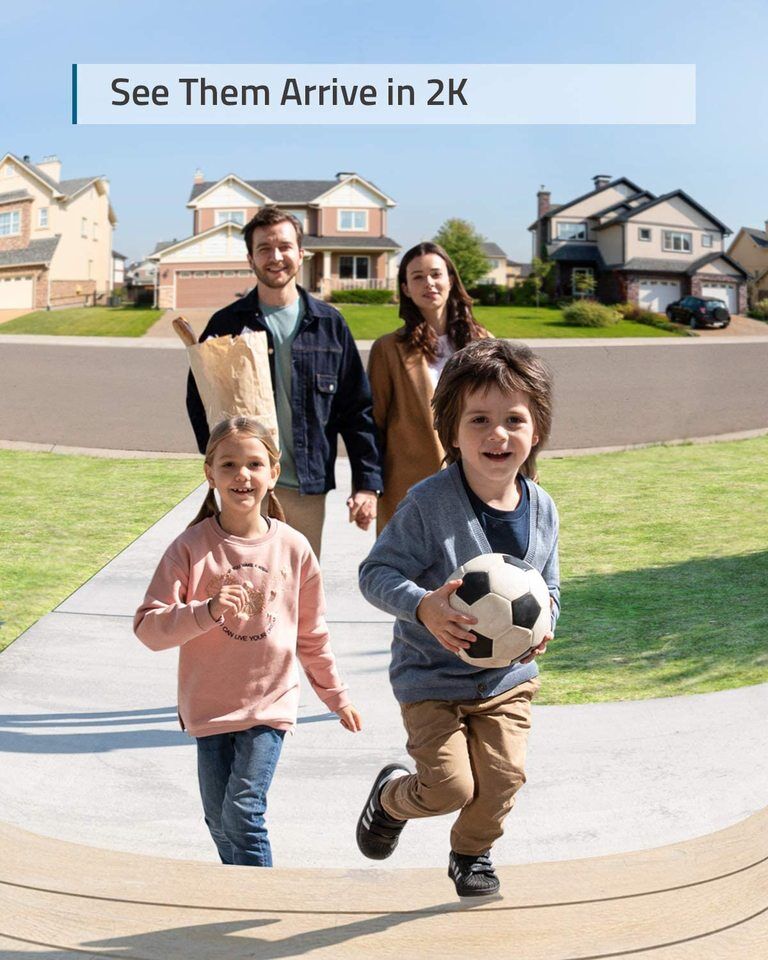

Does the video doorbell film the neighboring property?
No, the video doorbell is typically positioned to only capture activity at the front door of the property it is installed on. It is not designed to film the neighboring property unless the camera angle is adjusted to do so, which may raise privacy concerns. It is important to be mindful of where the camera is pointing to avoid any potential legal issues or disputes with neighbors. **
How does the smart light switch blink like in the club?
The smart light switch blinks like in a club by rapidly changing colors and intensity in sync with the music. It can be programmed to flash and pulse in different patterns, creating a dynamic and vibrant lighting effect similar to the atmosphere in a club. The smart light switch can also be set to respond to sound, allowing it to blink and pulse in time with the music, enhancing the party or club-like atmosphere in the room. **
Top-Angebote
Products related to BLINK-Smart-Video-Doorbell:
-
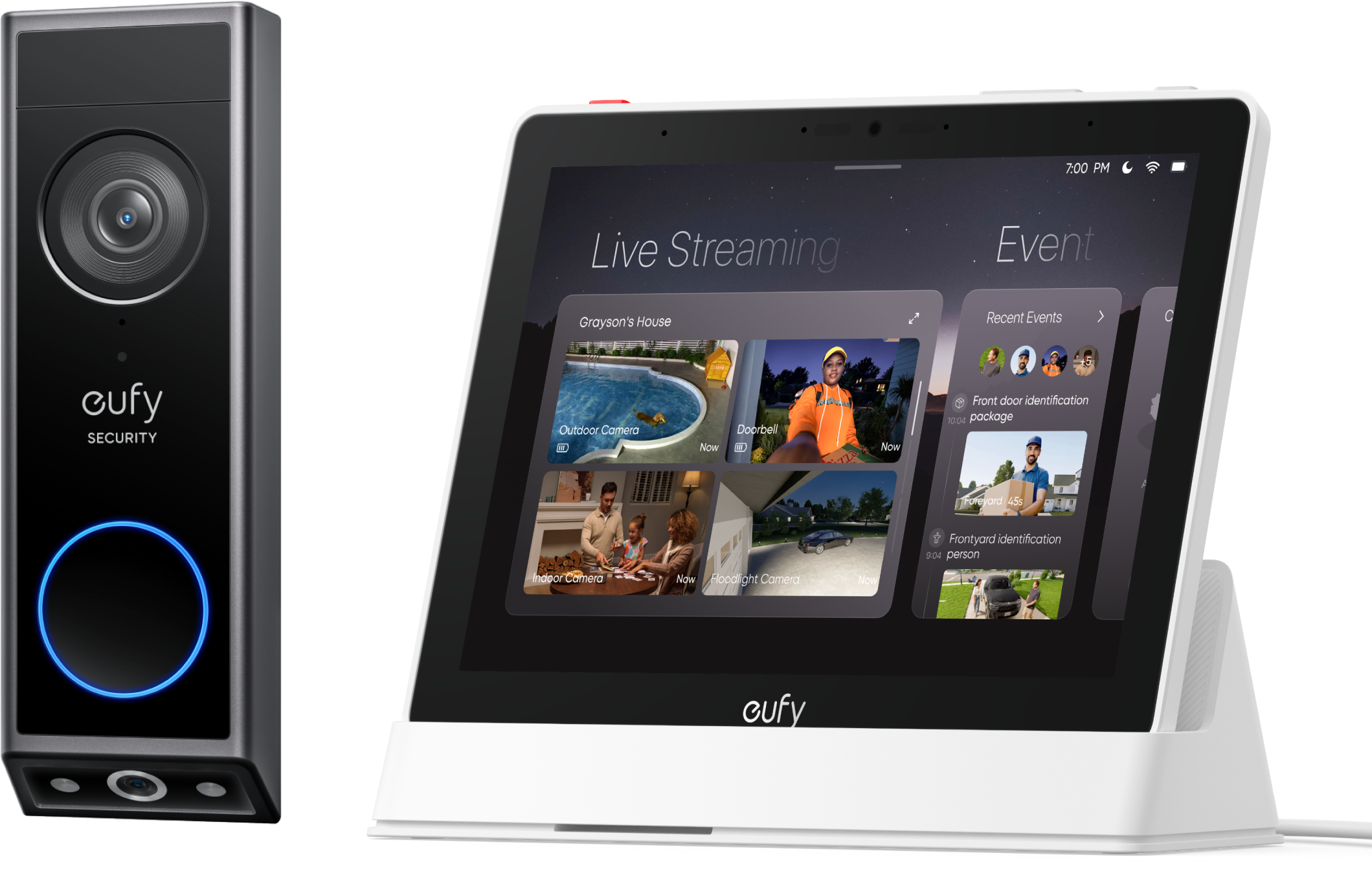
eufy Smart Display E10 + Video Doorbell E340 WhiteIncludes: eufy Smart Display E10, Video Doorbell E340 (Battery Powered). eufy Smart Display E10: Instant Hands-Free Door Alerts; See Everything with Four Views on One Screen; Instant Playback Without Waiting or Buffering; Smart Daily Reports with Important Events; Monitor Everything, Anytime, Anywhere. Video Doorbell E340 (Battery Powered): Dual Cameras, Double Security; Color Night Vision for a Clear View; See What Matters in 2K Full HD Clarity; Battery or Wired, Your Choice; Pair with a Chime to Hear Alerts Throughout Your Home.259,77 £*Shipping: 0,00 £Secure redirect to the provider
-
eufyCam S4 +Smart Display E10 + Video Doorbell E340 bundleeufyCam S4: Revolutionary Triple-Lens Bullet-PTZ Camera: A single groundbreaking device that replaces and outperforms separate bullet and PTZ cameras. The upper 4K bullet lens delivers a 130° fixed wide view, while the lower 2K dual-lens PTZ offers...559,97 $*Shipping: 0,00 $Secure redirect to the provider
-
Anker eufy S4 3K Smart Video Doorbell with Chime 2 (Wired)🔥 Black Friday Prices Are Live. 30-Day Price Guarantee Get a 180° View of Your Doorstep in Panoramic Mode: Enjoy a 180° × 180° ultra-wide view that covers everything from ground to sky, wall to wall. Activate VR Mode in the app to explore your full surroundings by moving your phone or headset to see exactly what's happening from any angle. OmniTrack™ AI Tracking and Auto-Framing: Keep what's important in view with smart AI tracking and auto-framing that recognises a person, keeps them centred, and follows them as they move. 9 MP Ultra HD with Color Night Vision: See every detail with stunning 9 MP Ultra HD resolution. Color night vision delivers a sharp, identifiable picture. Clearly recognize faces and read license plates with exceptional clarity. Wired Power and Smart Home Integration: Connect to existing doorbell wiring for a reliable wired setup. Built-in 4GB eMMC local storage keeps recordings saved locally, with no monthly fee required. Hear Every Ring: The included eufy Chime 2 delivers loud, customisable audio notifications when someone rings your bell. Works seamlessly with Google Assistant and Alexa for effortless smart home integration. Panoramic VR mode lets you stand at your doorstep — from anywhere. Learn more 🔗215,99 £*Shipping: 0,00 £Secure redirect to the provider
-
How can one replace the front doorbell with a smart doorbell?
To replace a front doorbell with a smart doorbell, you will first need to purchase a smart doorbell that is compatible with your home's existing wiring. Next, turn off the power to the doorbell at the circuit breaker to ensure safety while working with the wiring. Remove the old doorbell and disconnect the wires, then connect the wires to the corresponding terminals on the smart doorbell. Once the wiring is connected, secure the smart doorbell to the wall or door frame according to the manufacturer's instructions. Finally, turn the power back on and follow the setup instructions provided with the smart doorbell to connect it to your home's Wi-Fi network and configure any additional settings. **
-
Is a Ring video doorbell allowed?
Yes, Ring video doorbells are generally allowed in most residential areas. However, it's important to check with your local homeowners' association or neighborhood regulations to ensure that there are no specific restrictions on the use of video doorbells. Additionally, it's important to be mindful of privacy concerns and to use the video doorbell in a responsible and respectful manner. **
-
Why does the smart TV light blink at night?
The smart TV light may blink at night due to various reasons. One common reason is that the TV is in standby mode and the light is indicating that it is ready to be turned on. Another reason could be that the TV is receiving updates or performing background tasks, causing the light to blink. Additionally, some smart TVs have a feature that allows them to respond to voice commands or remote control signals, which may cause the light to blink when it is activated. **
-
How does a video doorbell system work?
A video doorbell system works by using a camera and microphone to capture and transmit live video and audio of the area in front of the door to a smartphone or other connected device. When someone rings the doorbell, the system sends a notification to the homeowner's device, allowing them to see and communicate with the visitor in real-time. Some video doorbell systems also have motion detection capabilities, allowing them to alert the homeowner to any activity in front of the door, even if the doorbell is not rung. Additionally, many video doorbell systems can also record and store footage for later viewing. **
Similar search terms for BLINK-Smart-Video-Doorbell
-
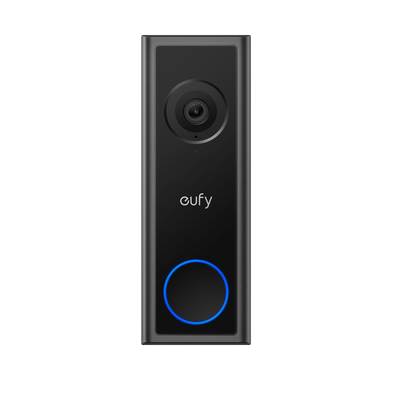
eufy Video Doorbell C30Crystal-Clear Welcome in 2K FHD: Experience 2K FHD clarity for detailed and vivid visuals, ensuring you can see exactly who is at your door, even at night. The 16:9 expanded view provides a wider picture of your entire front door area, offering...59,99 $*Shipping: 0,00 $Secure redirect to the provider
-
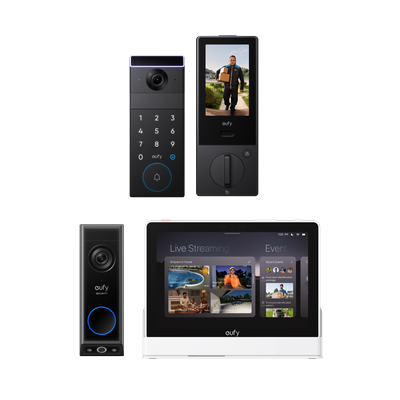
eufy FamiLock S3 Max + Video Doorbell E340 + eufy Smart Display E10 Whiteeufy FamiLock S3 Max Palm Vein Unlocking: Achieve recognition in just 0.1 seconds with secure, forgery-proof palm vein technology. Your palm vein data is stored locally on the lock, keeping your privacy entirely in your hands. This all-in-one...663,98 $*Shipping: 0,00 $Secure redirect to the provider
-
Eufy Video Doorbell S220 Black2.5x the Clarity: The built-in Sony 2K sensor and professional-grade lens allow you to view activity in picture-perfect resolution. See visitors in sharp detail as they approach your door. No Monthly Fee: Designed to protect your home as well as your wallet, eufy Security products are one-time purchases that combine security with convenience. All your data is stored locally* meaning you will never have to pay for Cloud Backup*. Dual Power Options: Half a year of coverage from one charge or non-stop power supply via a wired connection. Expanded Field of View: The increased 4:3 Aspect Ratio ensures you get a head-to-toe view of anyone who approaches and gives you the perfect viewing angle every time. Next-Level Detection: Have total control* over what is detected through the use of the motion sensor, smart human detection, and activity zones. Receive real-time alerts** when anyone approaches so that you never miss a delivery or keep guests waiting.99,00 £*Shipping: 0,00 £Secure redirect to the provider
-
eufy Video Doorbell C31 blackCrystal-Clear Welcome in 2K FHD: See your visitors in 2K (2048×1536) resolution, day and night. The 4:3 view offers a comprehensive picture of your entire front door area. Real-Time Chat, Seamless Experience: Stay connected with your visitors...69,99 $*Shipping: 0,00 $Secure redirect to the provider
-
How do I connect a Ring video doorbell to the existing doorbell system?
To connect a Ring video doorbell to your existing doorbell system, you will need to follow these steps: 1. Turn off the power to your existing doorbell system at the circuit breaker to avoid any electrical hazards. 2. Remove your existing doorbell and disconnect the wires attached to it. 3. Connect the wires from your existing doorbell to the Ring video doorbell according to the manufacturer's instructions. 4. Mount the Ring video doorbell in place of your existing doorbell and turn the power back on at the circuit breaker. 5. Follow the setup instructions provided by Ring to complete the installation and connect your video doorbell to your home's Wi-Fi network. **
-
Is the smart doorbell compatible with the Google Nest Hub?
Yes, the smart doorbell is compatible with the Google Nest Hub. By connecting the smart doorbell to the Google Nest Hub, users can receive notifications and view live video feeds from the doorbell directly on the Nest Hub's display. This integration allows for seamless monitoring and control of the smart doorbell through the Google Nest Hub, enhancing the overall smart home experience. **
-
Does the video doorbell film the neighboring property?
No, the video doorbell is typically positioned to only capture activity at the front door of the property it is installed on. It is not designed to film the neighboring property unless the camera angle is adjusted to do so, which may raise privacy concerns. It is important to be mindful of where the camera is pointing to avoid any potential legal issues or disputes with neighbors. **
-
How does the smart light switch blink like in the club?
The smart light switch blinks like in a club by rapidly changing colors and intensity in sync with the music. It can be programmed to flash and pulse in different patterns, creating a dynamic and vibrant lighting effect similar to the atmosphere in a club. The smart light switch can also be set to respond to sound, allowing it to blink and pulse in time with the music, enhancing the party or club-like atmosphere in the room. **
* All prices are inclusive of VAT and, if applicable, plus shipping costs. The offer information is based on the details provided by the respective shop and is updated through automated processes. Real-time updates do not occur, so deviations can occur in individual cases. ** Note: Parts of this content were created by AI.